e-klimaX
e-klimaX® 6.0
SIMPLIFIES YOUR PLANNING.
Record and order air duct components even more easily.
With e-klimaX, you can record round and rectangular air duct components more efficiently and order them more quickly – without complex software and without a lengthy learning curve. With just a few clicks, you can create complete parts lists and send your enquiry directly to your preferred suppliers.
This page is currently being updated. We apologise for any inconvenience caused by the fact that not all content is available at present.

FLEXIBLE EXPANSION.
Add optional modules for CAD integration and project coordination whenever you need them.

WORK FASTER.
Record and order components with just a few clicks. Thanks to reusable project data, copy-and-paste functions and clear project structures, you can work faster and more efficiently.

INTUITIVE OPERATION.
The focus is on intuitive operation that simplifies your daily workflows. Standardised functions significantly minimise input errors.

REDUCE COSTS.
Reduce effort and costs through automatic accessory calculations and streamlined workflows.

DIRECT DELIVERY.
Orders are placed directly from the software, via email or XML, to your preferred suppliers.
e-klimaX® 6.0
e-klimaX is available as a single-user licence or a four-user licence package – ideal for individual users as well as teams.
This means you can start with the solution that best suits your way of working and expand it at any time if required.
Not sure which version is right for you?
Our team will be happy to advise you and work with you to find the right solution.
Features of e-klimaX:
✓ Graphical BOM entry
✓ Air duct measurement
✓ Supplier list
✓ Custom suppliers
✓ Ordering via email
✓ List printing (e.g. BOMs)
✓ Report Designer
✓ CAD import (CAD module required)
✓ Project invoicing (project module required)
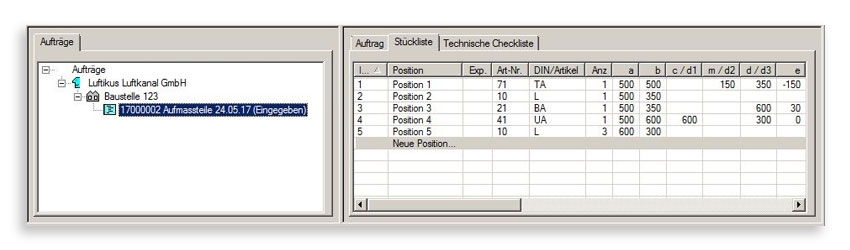
CLEAR PROJECT STRUCTURE.
All customers, projects and orders are displayed in a clear tree structure. With just a few clicks, you can generate a purchase order directly from the order and send it directly to your air duct manufacturer as an e-klimaX XML file.
Projects can also be broken down into systems, tender specifications, buildings, areas, floors and rooms.
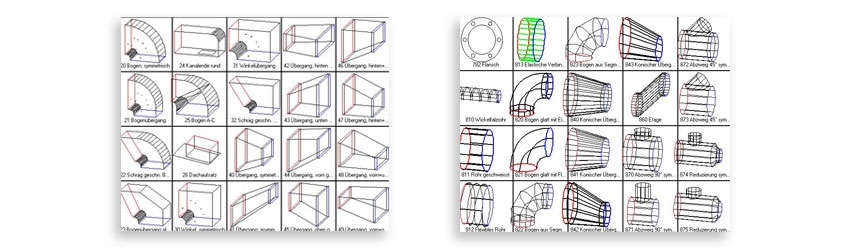
ROUND OR RECTANGULAR. EVERYTHING YOU NEED.
The integrated component library allows you to select the right component with just a few clicks. All components in accordance with DIN 18379 and circular ductwork components in accordance with DIN 24145 / 24146 / 24147 are available and dimensioned accordingly.
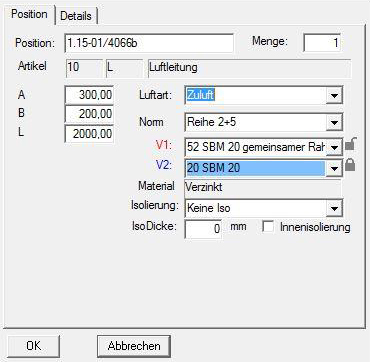
GRAPHICAL COMPONENT ENTRY. EVERYTHING AT A GLANCE.
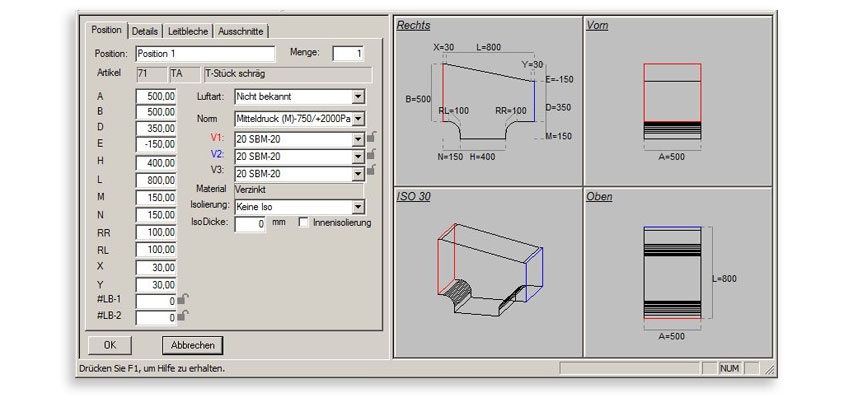
With the help of four views, you can check your component input in real time and correct it if necessary. One side displays the input fields, while the other shows a fully dimensioned, rotatable drawing of the component.
This minimises ordering errors and makes entering round and rectangular air duct components easier than ever.
WORK MORE EFFICIENTLY.
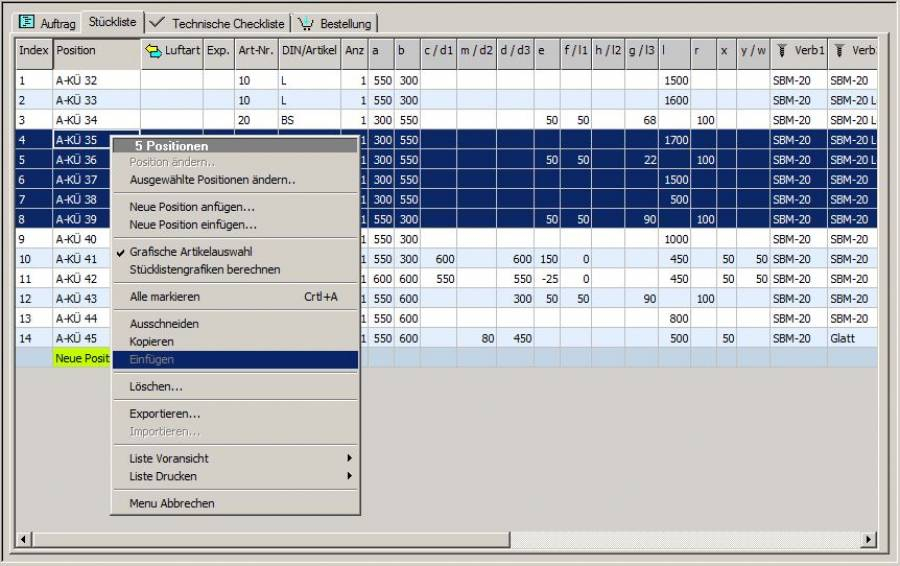
- Copy & paste for entire component groups
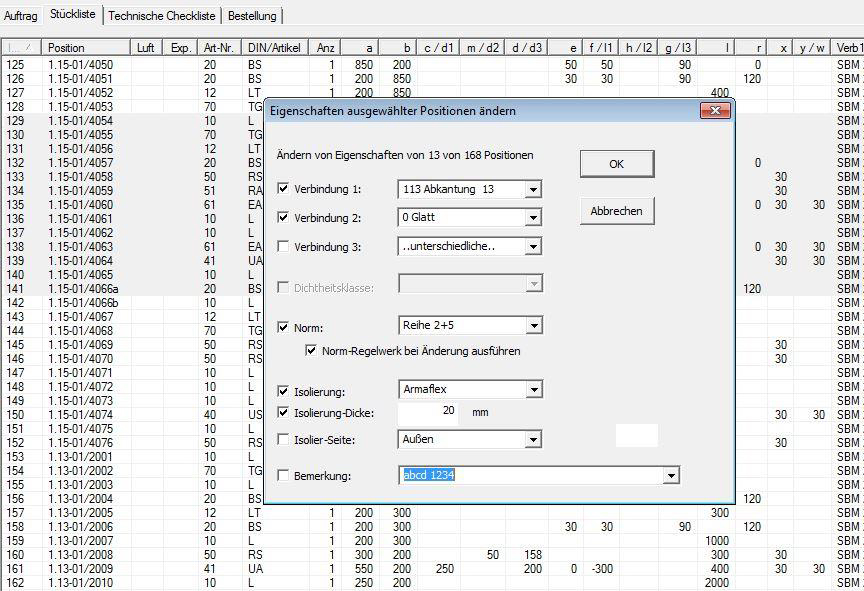
- Simultaneous editing of multiple items (connections, insulation, tightness class, comments)
- Clipboard function for quick transfer to other projects
This saves time – particularly with recurring components and large projects.
ASSIGNMENT AND STANDARDS.
- Assignment to HVAC systems and air types in accordance with DIN EN 12792 and DIN EN 13779
- Factory standards can be flexibly adapted right up to the point of ordering
You work in accordance with standards whilst remaining flexible right up to the final order.
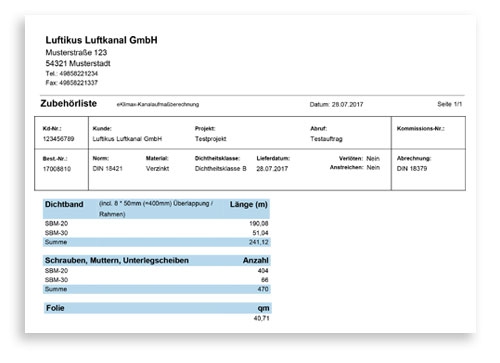
ACCESSORIES CALCULATION.
Benefit from order-specific accessory lists. The programme automatically calculates the requirements for sealing tape, screws, nuts and duct clamps, as well as foil for sealing the duct ends.
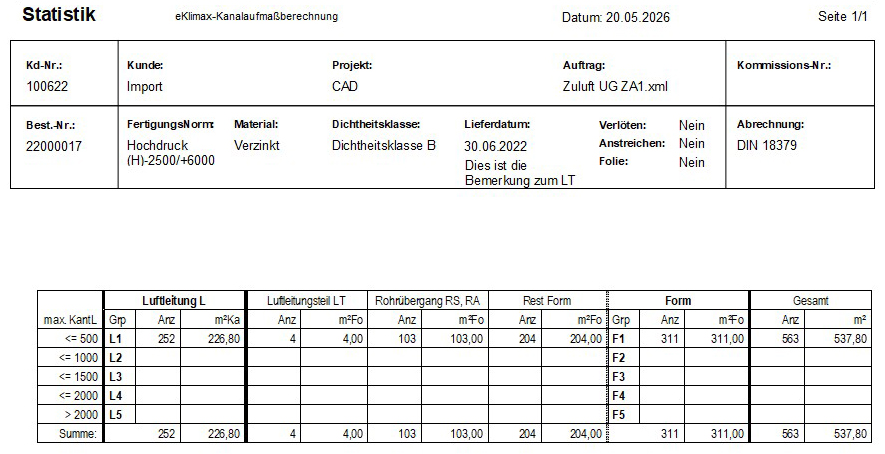
STATISTICS.
Generate statistics with billing groups in accordance with DIN 18379.
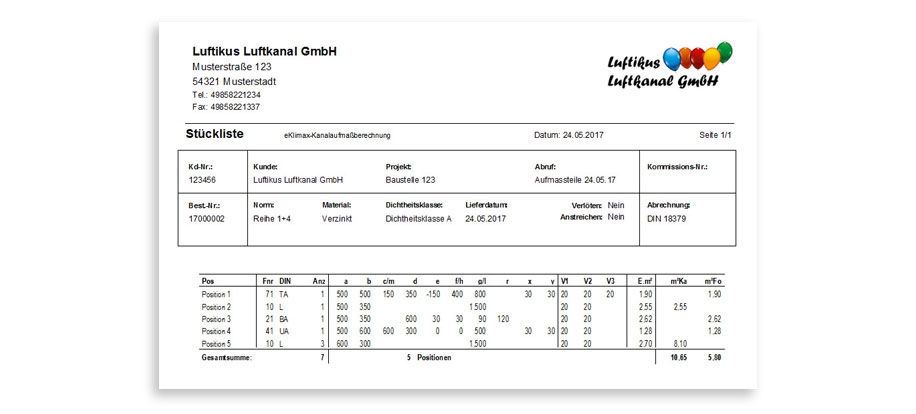
PARTS LISTS & REPORTS.
- Parts lists as PDFs or printouts (text or graphical)
- Insulation report for transparent analysis
- Statistics using billing groups in accordance with DIN 18379
Calculations are also carried out in accordance with current standards (e.g. DIN 18379, DIN 18421).
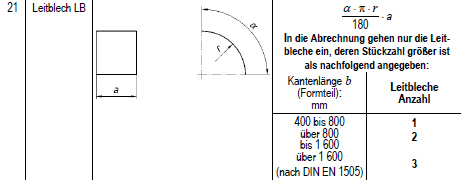
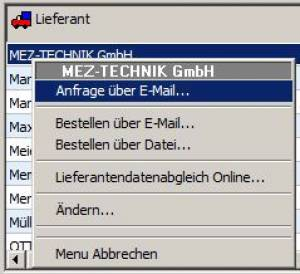
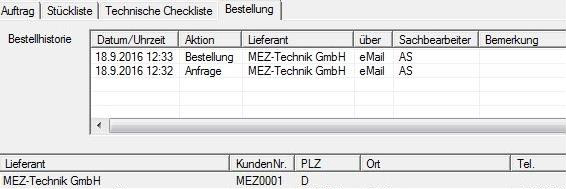
QUOTATIONS DIRECTLY FROM e-klimaX.
Create enquiries and orders directly within the order:
- Send via email to one or more suppliers
- Alternatively, export as an e-klimaX XML file
Enquiries can be made even before placing an order and are just as easy to send.
SQL DATABASE.
Do you work in large networks, across multiple sites or externally via VPN? In these cases, we recommend integrating e-klimaX as an SQL database.
PROJECT MODULE.
In addition to the standard features, this module allows you to coordinate your projects from a central location, ensuring you always have a clear overview – even for the largest projects. Consolidate different tasks within a project into quantity take-off lists to create straightforward interim and final invoices.
ORGANISATION MADE EASY.
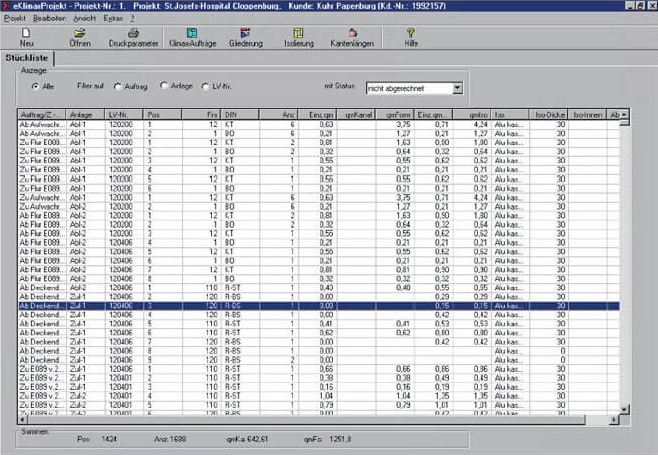
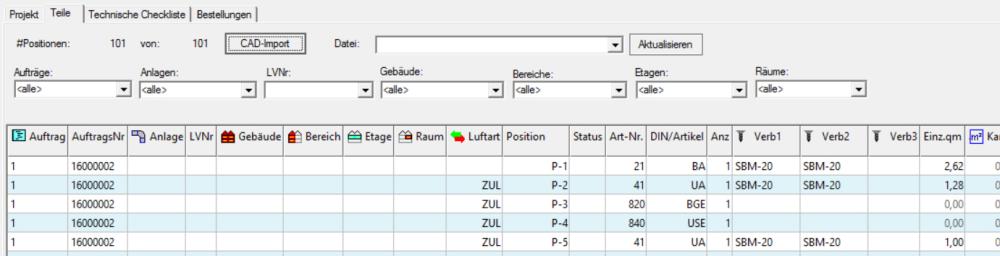
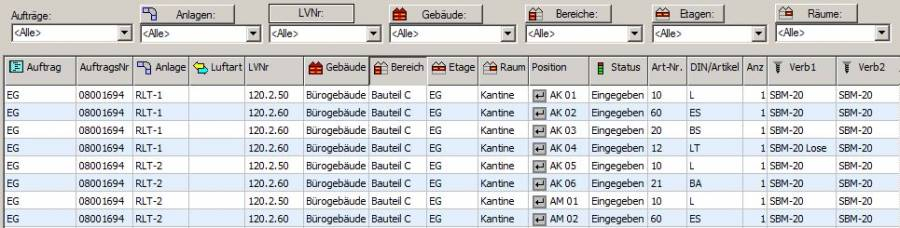
The various grouping and sorting options make it easier for you to keep track of everything and stay perfectly organised, even on large-scale projects.
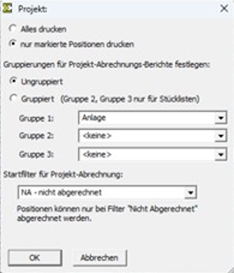
Print selected items or grouped lists.
PARTS LIST.
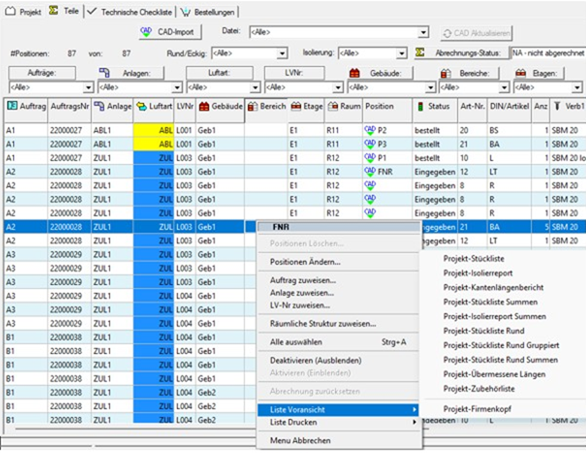
EDGE LENGTHS.
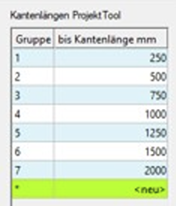
Freely define project-specific edge length groups.
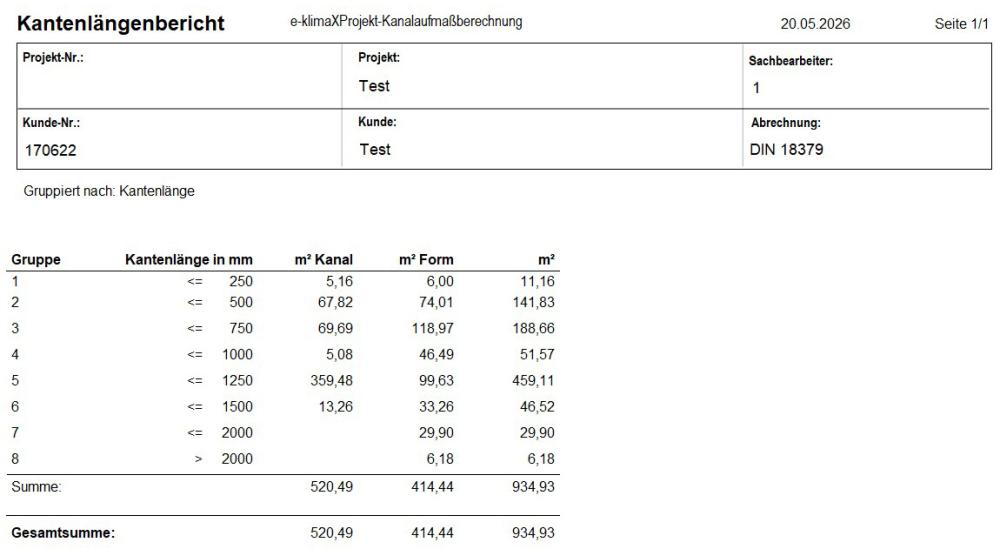
The integrated ProjectTool allows you to quickly and easily generate an edge length report that groups all channels according to a freely configurable matrix.
CAD MODULE.
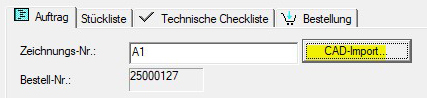
Simplify your processes by importing existing data from a wide range of CAD systems* or exporting data to them. Round and rectangular air duct components are transferred via the e-klimaX XML or ASCII interface.
COMPATIBLE CAD SYSTEMS:
- C.A.T.S.
- LiNear
- pit
- Trimble
- Tacos
- Autodesk Revit
- AutoCAD
- AX3000
- auxalia
- Other CAD systems available on request
TRY IT NOW WITH NO OBLIGATION.
Contact us for a no-obligation quote and free trial access.
YOUR CONTACTS.

Ich spreche gerne mit Ihnen auf
- Deutsch
- Englisch

Dr. Alexander Neagos
Software Sales / Quotations
Phone: +49 (7072) 60098-22
Mobile phone: +49 (170) 2275903